

Finance ERP: How ERP Software Improves Financial Management
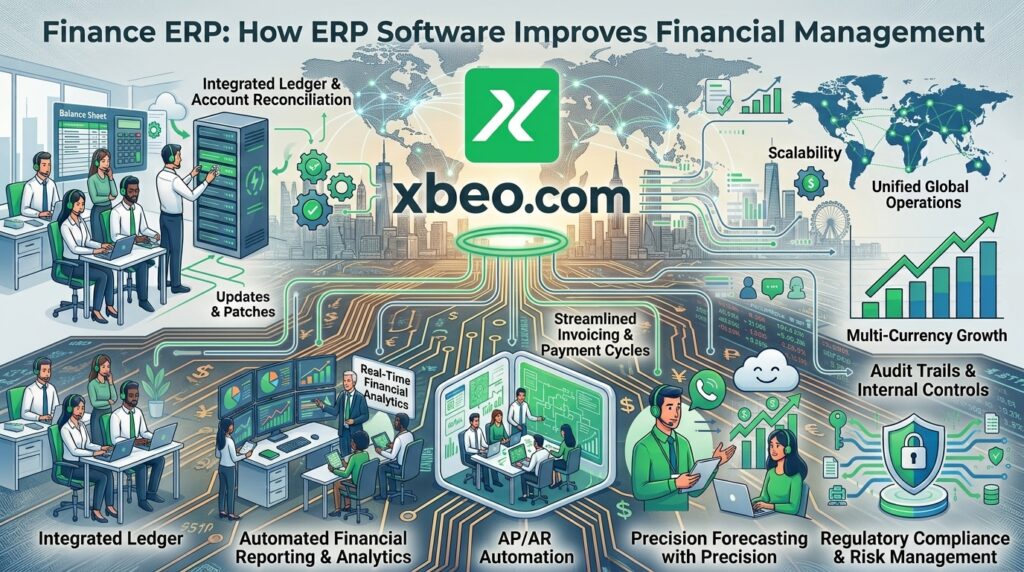
Managing business finances becomes more complicated as a company grows. More sales, suppliers, employees, purchases, expenses, assets, and transactions mean more financial information to track and organize.
For many businesses, traditional spreadsheets or separate accounting applications eventually become difficult to manage. Finance teams may have to collect information from sales, inventory, procurement, payroll, and other departments before they can prepare accurate reports.
A Finance ERP brings financial management into a connected ERP environment. Instead of treating accounting as a separate function, it connects financial information with the wider business.
This can help businesses improve financial visibility, reduce repetitive data entry, streamline accounting workflows, and make reporting more accessible to management.
What Is a Finance ERP?
A Finance ERP is an enterprise resource planning system that provides financial and accounting capabilities as part of a broader ERP platform.
The finance module can manage financial transactions while connecting them with other business activities.
Depending on the ERP platform, finance functionality may include:
- General ledger
- Accounts payable
- Accounts receivable
- Invoicing
- Expense management
- Financial reporting
- Budget management
- Cash flow tracking
- Tax-related records
- Payment management
- Account reconciliation
- Financial dashboards
The biggest advantage comes when these financial functions are connected with other ERP modules such as inventory, sales, procurement, HR, and manufacturing.
Why Do Businesses Need a Finance ERP?
Financial information is connected to almost every part of a business.
A sale affects revenue. A purchase affects expenses and payables. Inventory affects the value of stock. Employee compensation affects payroll expenses. Production affects costs.
When these activities are managed in disconnected systems, finance teams may have to repeatedly collect and enter information.
A Finance ERP can connect these processes.
For example:
Sales → Invoice → Payment → Accounting → Financial Reporting
Similarly:
Procurement → Purchase Order → Supplier Invoice → Payment → Accounting
Connecting these workflows can give finance teams a more complete view of business activity.
Key Features of Finance ERP Software
A modern Finance ERP can provide several important capabilities.
General Ledger
The general ledger is central to financial accounting. It organizes financial transactions into relevant accounts and provides the foundation for financial reporting.
A Finance ERP can automatically update financial records based on transactions generated through connected business processes.
Accounts Payable
Accounts payable management helps businesses track amounts owed to suppliers and vendors.
A finance module can help teams manage:
- Supplier invoices
- Payment schedules
- Outstanding balances
- Purchase-related expenses
- Vendor records
Connecting accounts payable with procurement can reduce duplicate data entry and provide better visibility into outstanding obligations.
Accounts Receivable
Accounts receivable helps businesses track money owed by customers.
Finance ERP functionality can support:
- Customer invoices
- Outstanding payments
- Customer balances
- Payment records
- Receivables reporting
Sales and finance teams can work from connected information instead of maintaining completely separate records.
Invoicing
Creating and tracking invoices is a routine financial activity for many businesses.
An ERP can connect invoicing with sales orders, customer records, products, services, and financial accounts.
This can make the invoicing process more organized while reducing repetitive information entry.
Expense Management
Businesses have expenses across many departments.
A Finance ERP can help organize expenses and associate them with appropriate accounts, departments, projects, or business activities.
This can make it easier for management to understand where money is being spent.
Financial Reporting
Financial reports help management understand the organization’s financial position and performance.
Depending on the ERP, reports can cover areas such as:
- Revenue
- Expenses
- Profit and loss
- Receivables
- Payables
- Cash flow
- Assets
- Liabilities
- Account balances
Because ERP data is connected across departments, financial reports can be based on information generated through actual business transactions.
Finance ERP and Inventory Management
Inventory and finance are closely connected.
Purchasing inventory creates financial obligations. Selling inventory generates revenue. Stock levels can affect working capital and business planning.
When inventory and finance operate separately, employees may have to reconcile information manually.
A connected ERP can link:
Purchase → Inventory Receipt → Supplier Invoice → Payable
And:
Sales Order → Inventory Movement → Customer Invoice → Receivable
This gives finance and operations teams a more connected view of transactions.
Finance ERP and Procurement
Procurement has a direct effect on business finances.
Every purchase can create a financial obligation, while supplier payment terms can affect cash flow.
A Finance ERP connected to procurement can help businesses track:
- Purchase orders
- Supplier invoices
- Purchase costs
- Payment obligations
- Vendor balances
- Procurement expenses
Businesses looking for Procurement Management Software Pakistan can consider how connected procurement and finance workflows help organize purchasing information and supplier obligations.
This connection can make it easier for finance teams to understand upcoming financial commitments.
Finance ERP and Sales
Sales transactions are another major source of financial information.
When sales and finance are connected, information can move from customer orders through invoicing and payment recording.
For example:
Quotation → Sales Order → Delivery → Invoice → Payment
Each stage can contribute information to the broader financial record.
This reduces the need for finance employees to manually recreate sales information in a separate accounting system.
Finance ERP for Manufacturing
Manufacturing businesses often have more complex financial requirements.
Production can involve:
- Raw materials
- Labor
- Machinery
- Overhead
- Production costs
- Finished goods
- Inventory movements
A connected ERP can bring manufacturing information together with inventory, procurement, sales, and finance.
This can provide management with better visibility into operational costs and financial performance.
Finance ERP and Payroll
Employee costs are an important part of business finances.
When HR and payroll information is connected with the finance module, employee-related financial transactions can be recorded more efficiently.
This can help connect:
Employee Records → Payroll → Expenses → Financial Accounts
Businesses can then maintain a more consistent flow of information between HR and finance.
Finance ERP and Business Reporting
One of the main advantages of an ERP environment is centralized information.
Instead of gathering data from multiple departments manually, management can access information from a connected system.
A Finance ERP can support dashboards and reports covering:
- Sales performance
- Expenses
- Outstanding receivables
- Supplier payables
- Cash position
- Inventory-related financial information
- Department expenses
- Overall financial performance
The exact reports available depend on the ERP system and its configuration.
Cloud Finance ERP
Cloud-based ERP has changed how businesses can access financial systems.
With a cloud Finance ERP, authorized users can access financial information through connected devices without relying on a traditional local server environment.
For businesses with multiple locations or distributed teams, this can make access to financial information more flexible.
A cloud ERP can also connect finance with inventory, procurement, sales, HR, manufacturing, and other business functions through one platform.
However, businesses should still evaluate security, access controls, backups, integrations, reporting requirements, and user permissions before selecting a cloud ERP.
Finance ERP for Businesses in Pakistan
Businesses in Pakistan operate across different industries and have different financial management requirements.
A trading company may need strong purchasing, inventory, supplier, customer, and accounting workflows.
A manufacturer may need production costing alongside inventory and finance.
A retailer may need POS, sales, inventory, customer, and accounting integration.
An e-commerce business may need online order processing connected with inventory, payments, and financial records.
A Finance ERP can provide a common financial foundation while supporting these different operational requirements.
For businesses looking for a Cloud Based ERP Provider in Pakistan, the ability to connect financial management with other departments can be an important consideration. Choosing a Cloud Based ERP System in Pakistan can also help businesses evaluate how finance, inventory, sales, procurement, HR, and manufacturing can work together within one platform.
Businesses considering Cloud ERP Implementation Pakistan should assess their existing systems, data requirements, integration needs, and employee training before making the transition. Retail businesses can also evaluate how a connected ERP environment supports their requirements for sales, inventory, purchasing, and financial reporting when considering Retail ERP Software Lahore.
Finance ERP vs Standalone Accounting Software
A standalone accounting system primarily focuses on financial management.
A Finance ERP connects accounting with broader business operations.
| Standalone Accounting Software | Finance ERP |
|---|---|
| Primarily focused on accounting | Connects finance with wider business processes |
| May require separate inventory software | Can connect finance with inventory |
| Sales information may require integration | Sales and finance can operate in one ERP environment |
| Procurement may be separate | Procurement can connect with financial workflows |
| Limited operational visibility | Broader business visibility |
| Additional integrations may be required | Designed around connected ERP modules |
This does not mean every business needs a full ERP platform. The right choice depends on the organization’s size, complexity, processes, and future requirements.
Benefits of Finance ERP Software
A properly implemented Finance ERP can provide several operational benefits.
Centralized Financial Information
Financial information can be managed within a connected business system.
Reduced Manual Data Entry
Automated information flow between modules can reduce repetitive entry.
Better Financial Visibility
Management can access information from connected business processes.
Improved Workflow Management
Financial processes such as purchasing, invoicing, payments, and approvals can be organized within defined workflows.
Faster Reporting
Centralized data can make it easier to generate financial and operational reports.
Better Scalability
As the company grows, additional users, locations, modules, and processes can be incorporated into the ERP environment.
How to Choose Finance ERP Software
Businesses should evaluate more than the accounting features when selecting Finance ERP software.
Consider the following:
Business Requirements
Identify the financial processes that need improvement.
Integration
Check whether the finance module connects with inventory, sales, procurement, HR, manufacturing, POS, and other relevant systems.
Reporting
Review the available financial reports, dashboards, and analytics capabilities.
User Access
Make sure the ERP supports appropriate user roles and permissions.
Scalability
Consider future requirements, including additional branches, employees, products, and transactions.
Cloud Capabilities
If cloud ERP is being considered, evaluate security, accessibility, backups, and system availability.
Implementation and Support
The software is only one part of the project. Implementation, training, migration, integration, and ongoing support are also important.
Common Finance ERP Implementation Mistakes
Even a capable ERP can become difficult to use if implementation is poorly planned.
Migrating Unclean Data
Old financial records should be reviewed and cleaned before migration.
Ignoring Other Departments
Finance depends on information from sales, procurement, inventory, HR, and other areas. The implementation should consider these connections.
Focusing Only on Features
Businesses should evaluate how the ERP will fit their actual workflows instead of selecting software based only on a feature list.
Poor User Training
Employees need to understand how financial workflows work within the new system.
Lack of Ongoing Support
Business requirements change over time. Ongoing ERP support can help maintain and improve the system.
How XBEEO Supports Finance Management
XBEEO provides a cloud-based ERP platform designed to connect important business functions within one system.
Its ERP environment covers areas including finance, inventory, sales, procurement, HR, manufacturing, and operations.
For businesses considering a Finance ERP, this connected approach can help link financial activities with the operational processes that generate those transactions.
Businesses searching for an ERP Solution Provider in Lahore can evaluate how ERP capabilities align with their existing systems, data requirements, and financial management goals. Companies comparing an ERP Software Provider in Lahore should also consider integration, implementation, training, and ongoing support.
Instead of treating accounting as an isolated department, businesses can build workflows where financial information is connected to sales, purchasing, inventory, and other core activities.
This can provide a stronger foundation for centralized reporting and business management.
Frequently Asked Questions
What is Finance ERP?
Finance ERP is an ERP module or system that manages financial and accounting activities while connecting them with other business processes such as sales, inventory, procurement, HR, and manufacturing.
What does a Finance ERP module include?
Depending on the platform, it may include general ledger, accounts payable, accounts receivable, invoicing, expenses, financial reporting, budgeting, payments, and reconciliation.
What is the difference between Finance ERP and accounting software?
Accounting software primarily focuses on financial activities, while Finance ERP connects financial management with wider business processes and ERP modules.
Is Finance ERP suitable for small businesses?
It can be, particularly when a growing business needs to connect finance with inventory, sales, procurement, or other operations. The appropriate ERP scope depends on the company’s requirements.
Can Finance ERP work with inventory management?
Yes. Connecting finance and inventory can help businesses link purchasing, stock movements, sales, invoices, and financial records.
Why choose cloud-based Finance ERP?
Cloud Finance ERP can provide flexible access to financial and operational information while supporting connected departments and multiple locations. Businesses should still evaluate security, access, integrations, and support before implementation.
Final Thoughts
Finance sits at the center of almost every business decision.
When financial information is separated from sales, procurement, inventory, HR, and other operational systems, employees may spend significant time collecting and reconciling information.
A Finance ERP provides a more connected approach.
By bringing financial management into the broader ERP environment, businesses can connect transactions, improve visibility, streamline workflows, and create more accessible reporting.
For businesses in Pakistan looking for a cloud ERP solution, finance can serve as one of the core modules connecting day-to-day operations with the organization’s financial records.
With the right implementation, integration, training, and ongoing support, Finance ERP can become an important part of a scalable business management system.
